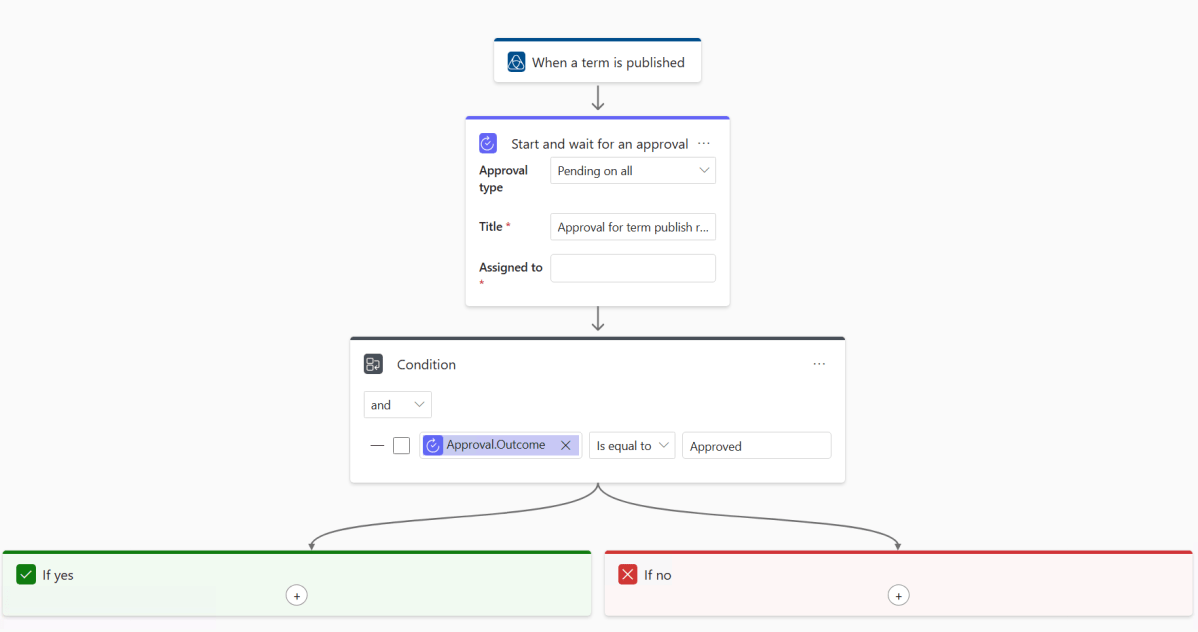
This is a feature that’s been missing from Purview for a while. It was built into the “classic” interface that was left behind by Microsoft at the tail end of 2024 for the new interface we have now. I don’t have the inside scoop on the reasoning behind the interface change but reading between the lines Microsoft had walked themselves into a few dead ends with the old interface that needed to be backed out of before they could start to flesh out the feature set and start moving forwards again.
Workflows were one of those lost features. A neat and relatively sophisticated way of defining control flows for approval, it looked a lot like Power Automate but wasn’t actually Power Automate i.e. there was an impossible task in keeping up with a key Microsoft product and replicating its features in parallel. The switch to the new interface backed out of that challenge and a year on we now have first sight of workflows in the new world.
First the good news, workflows are back and functional in preview. Microsoft have done the right thing and much like in a classic X vs Y comic book story our heroes have reached the point where they settle their differences and team up against the true enemy, in this case poorly supervised data stewardship. Workflows in the new Purview Data Governance are effectively a window in to Power Automate. It’s early days but the long term promise of the roadmap is that anything you can deliver with Power Automate will be available to you triggered from within Purview.
And the bad news? Don’t panic, the less good news isn’t bad it’s simply that on the spectrum of preview release completeness this is leaning towards the sneak peek/proof of concept side of the rather than a ready to go fully fledged solution. It’s useful right now but there are significant limits on what you can achieve. Let’s take a look at the features we have before coming back to what those limits are, how they might affect you and if you should dive in with workflows right now or wait with an eager eye on future releases.
Creating a Workflow
I’m going to use approvals for glossary terms as an example. Data Product approvals are essentially the same but for a different object. Access requests which were already a feature in the new interface can now been seen as a workflow as well as a baked in part of the interface, these are a little more complex so we’ll come back to them in the future.
Step one is to create the workflow. If you’re a Purview regular you’ve probably already seen the feature appear in the menu:
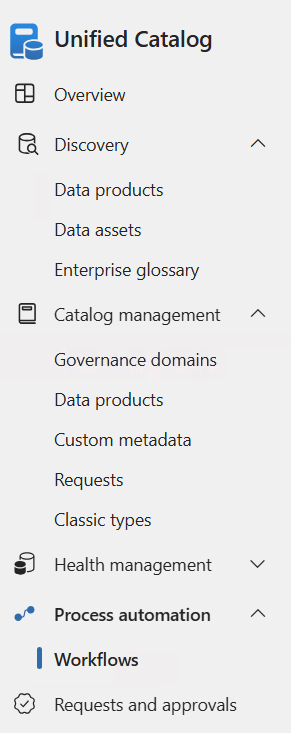
A whole new page of features, head in and select the + to create a new one, pick Catalog curation and Term publish as we’re creating this for term approvals after that we’re straight in with a template to work with:
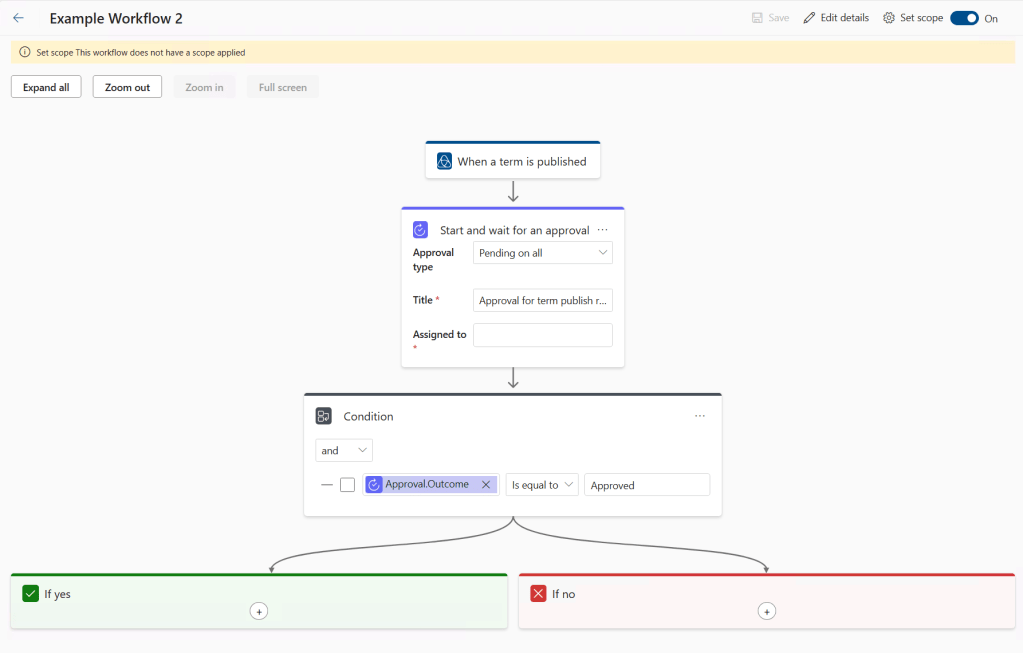
But first things first we need to define a scope. Click that cog at the top right and you’re presented with a list of your governance domains, ticks in here define which domains this workflow will apply to so there’s room to have different processes for different areas of the business.
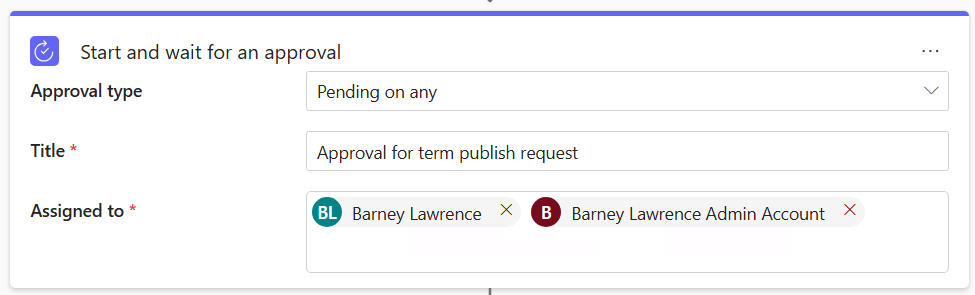
Next up to fill out the details. We sadly don’t have a lot of options here. Start points are locked in and then we follow through to the approval task which gives us the option to require any or all in an assigned list to approve the request. It’s the usual Entra pick list that you’ll encounter elsewhere and you can choose as many names as you like. You can pick groups but I’ve not had the opportunity to test the behaviour of them just yet (when I tested this last week groups weren’t selectable).
One potential issue with this feature is all you see is the display name of a person, there’s no route to hover over two people with the same name and see their e-mail. Up until last week the names on my standard and admin accounts were the same, there was no way of knowing which was which:
At its simplest that’s it, you can create your workflow and you’re ready to go but there’s a bit of room for customisation. We could expand the workflow to have another layer of approval and it’s also possible to add in automated e-mails. Here I’ve added a notification to the no path so that something is sent when approval is declined.
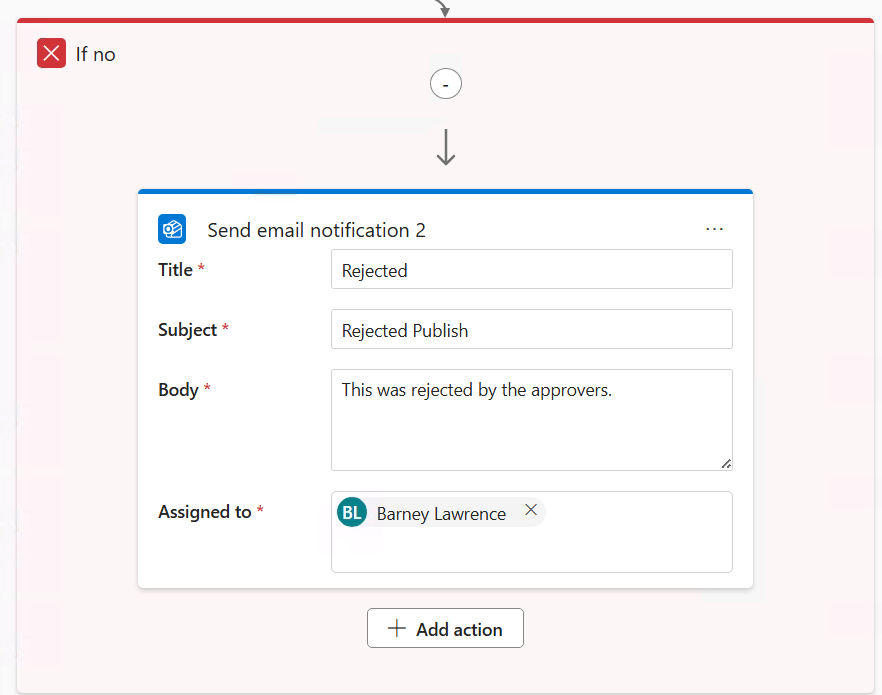
Note that we have no variables in the examples above. That’s because there aren’t any available. We’ll come back to this in the wrap up but this is probably the biggest hurdle in taking up use of workflows in their current form.
Using a Workflow
With the workflow created we can use it. Crating a new glossary term in an in scope domain now triggers the approval workflow when you try and publish it. You’ll get a blink and you miss it alert telling you the workflow has been triggered and unfortunately there’s no visible sign after that of there being an approval in progress.
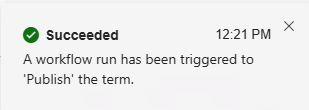
Try to edit or publish again though and you’ll see something like this:
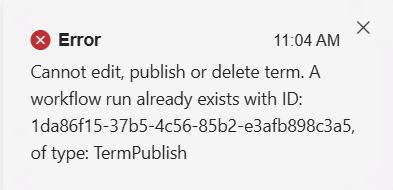
You can’t edit and edit again so it’s useful to know why but the message isn’t as friendly as I’d like.
Those on the approval list will receive an e-mail with a link to the item to approve or reject button:
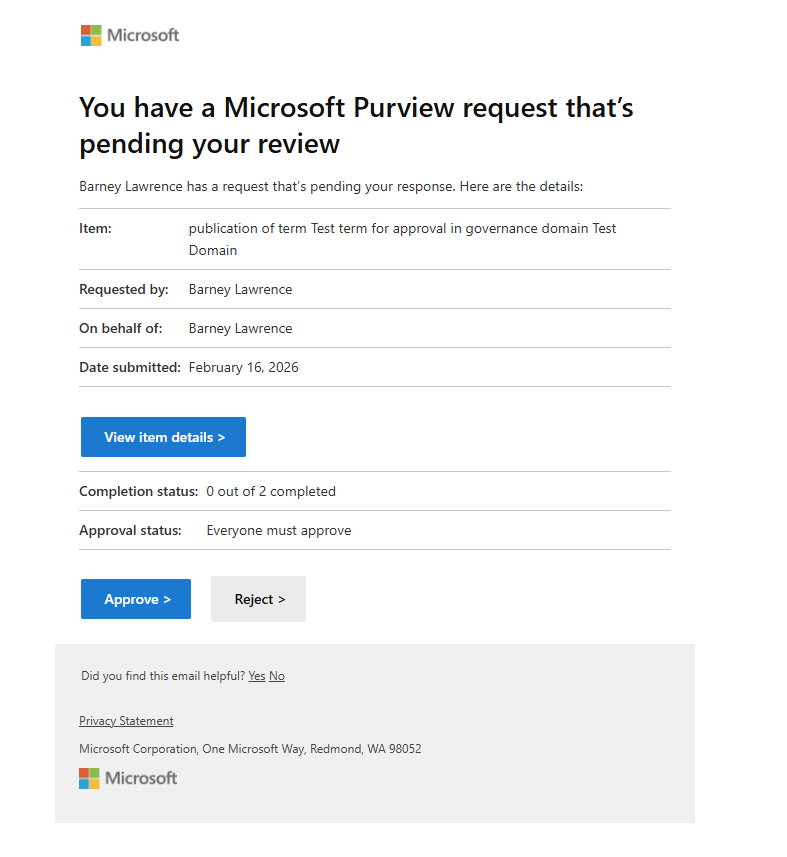
You can track progress inside Purview under Requests and Approvals:
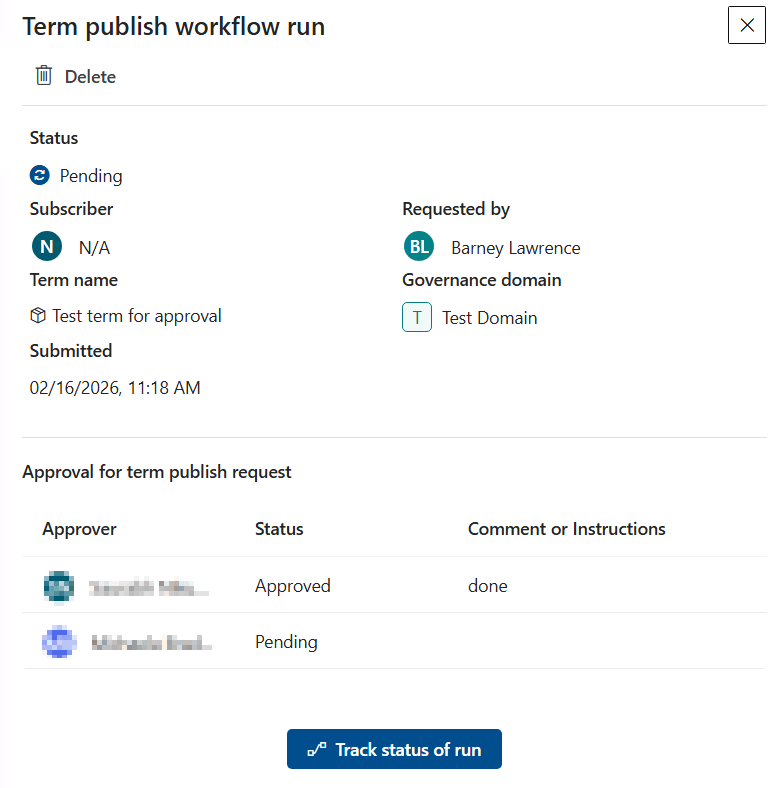
Once all the approvals are in place the glossary term will be published with the details.
If someone declines then the ‘If no’ branch of the flow is triggered and the workflow closed. The term isn’t published and stays as is (note the rejection only stops the publication, if someone unpublishes and makes a bad edit that’s rejected then the term stays unpublished and I don’t see any route to roll back to the previous version.
Conclusions
First off it’s important to reiterate that it’s great to see this feature in place. The foundations have been laid and as long as Microsoft follow through on the roadmap (with a few extras) then the feature should deliver everything needed of it. I’m confident that workflows will see development and reach something like their ideal state in time. If I had to give an edge of caution to that conclusion I would point out that while there is delivery against needed features for Purview Data Governance I’ve seen a lot of churn in the roadmap over the last year. Many features have slid back on delivery dates as other priorities arise and more than one much desired feature has remained elusively out of reach (pointedly eyes lineage in Fabric).
As is however there are limits to this initial version which may mean you want to hold off a little while. Issues so far that I’ve identified are as follows.
Little flexibility. The lack of variables to either access parts of the flow or to give context to the request are missing. If I want to e-mail the person requesting the publish either on completion or rejection I can’t because the e-mail action only takes a hard coded name. Similarly I have to hard code the approval list. If it’s a central team approving everything that’s ok but if you want the owner of each domain to handle approvals you need a workflow per domain to add the right name (and good luck when job roles change). What I’d like to see is the ability to create a generic workflow that picks out names from existing metadata e.g. the owner on the domain being published to or pulling a list from a custom attribute.
I also don’t see space at present to have a two tier set of workflows, they apply to everyone or no one so there’s no room for approval on your general users but instant publication from your product owners for example.
Low visibility.
- As I commented on above if someone has made an edit and is awaiting approval it’s not entirely clear to another user who might also want to make a change.
- You have to attempt a publish before you know you can’t publish.
- The details in the requests and approvals are exactly what I’d like to see but they are well hidden from the average user.
- There’s no status updates to the person publishing, no e-mail on completion it just happens once the approvals are in place.
- The same for rejections, workflow finished and the term just stays unpublished with no warning.
No overrides. You can delete the instance of the workflow but that’s it. In my testing I ran a test with the all to approve option and one person on the list was on holiday. That approval was locked down for a week. Either waiting or manually amending is an option but in a big organisation with a lot of changes that’s going to be tough to keep up with. In practice you are probably limited to using the ‘Pending on any’ option and listing multiple people.
Invisible concepts. More of a consequence of how Purview handles the publishing of concepts than something caused by workflows but it will be exacerbated. To edit something in Purview you must first unpublish it. At which point it becomes invisible to the default user until republishing. The approval workflow puts a delay on that re-publishing, without a workflow then a quick edit for spelling could take minutes. If approval is needed then a key asset might be hidden for days.
As of now there’s no facility to propose an edit and keep the old version visible while awaiting approval. This would be a great feature to have and is a well established approach elsewhere in tech (e.g. pull requests into code branches in a repository).
You can still delete. I may need to test further with more limited permissions on this one but it appears unpublishing and deletion of a glossary term is not subject to approval. Workflows give you control over changed terms but as of now this is not a feature that will protect you from a malicious actor who wants to cause damage to your catalogue. Potentially this will put a limit on how far you’re willing to open up access to create and modify glossary terms or data products.
Should You Start Using Workflows?
I’m a consultant so the answer to this question was inevitable from the start – It depends.
Workflows as they are now are usable within their current limits and if you really need the feature (say for a federated model where business users can create new terms but you absolutely must have central approval prior to publishing) then jump right in.
You will however find yourself limited. You’ll need to look to one single cross organisational set of approvers on a single workflow or be set for a lot of creation and maintenance time on a domain by domain basis. Expect a lot of communication coming through from end users who aren’t clear where things are on the approval process.
If you’re on the fence or don’t think that this feature is quite ready for you just yet I’d still suggest you give it a trial in a nice contained test domain just to ger familiar with them. Over time workflows are going to become more and more central to how we use Purview and having a solid example in place to come back to as features evolve will benefit you in the long term.
A big thanks to the customer and governance team members who helped me test these features but for contractual reasons must remain nameless. It was much appreciated.
 Barney Lawrence - A Blog